Remove a category
Categories group prompts so you can slice visibility data by topic. If a category is no longer relevant, you can delete it from any prompt’s toolbar.
Removing a category won’t rewrite history. It may still appear in older reports so your past data stays comparable.
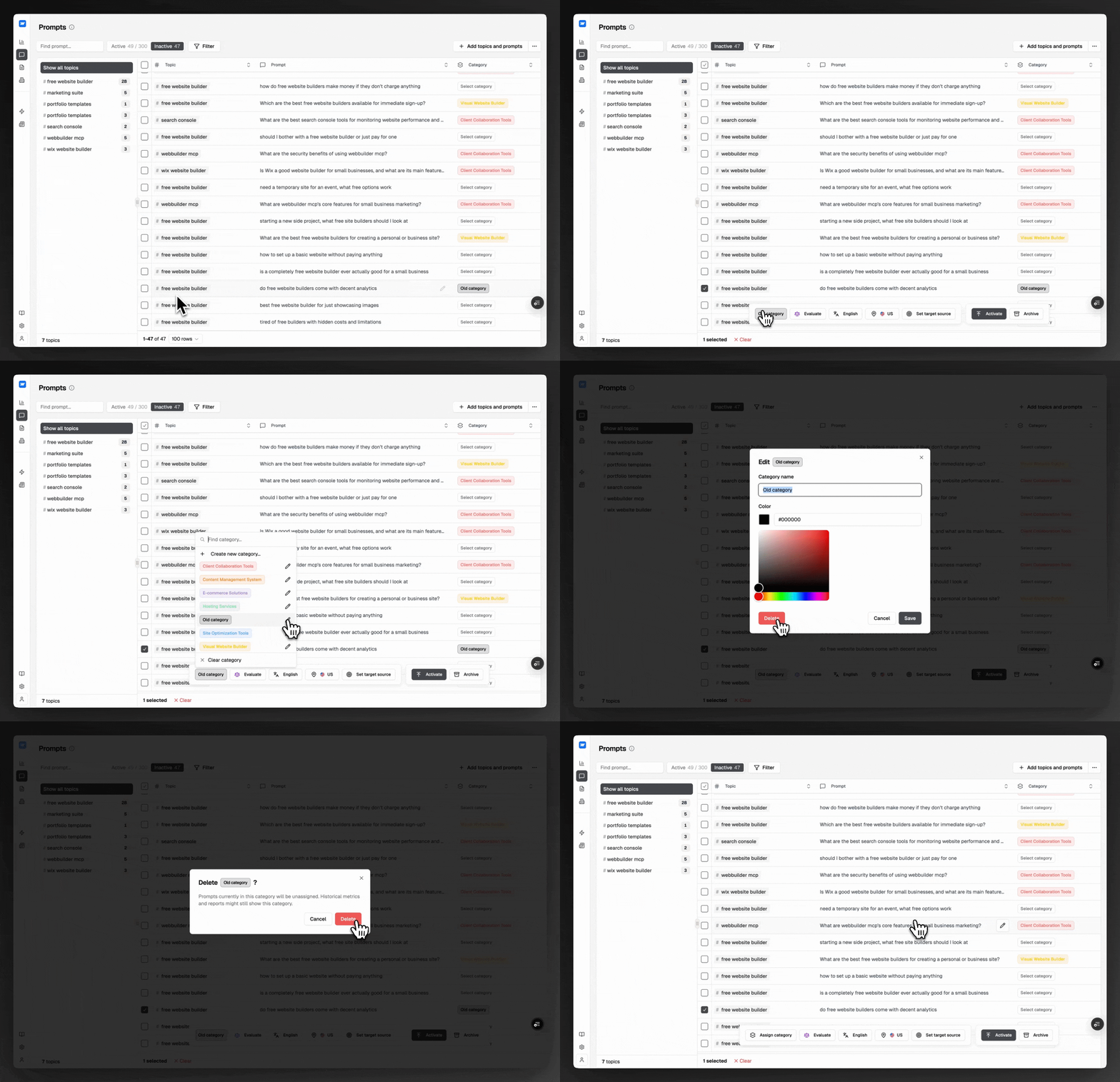
Open Prompts
In the Sitefire app sidebar, navigate to Prompts.
Select a prompt
Click any prompt in the list. The contextual toolbar appears at the top of the panel.
Open the category selector
In the toolbar, click the category dropdown to see every category in your workspace.
Edit the category
Hover the category you want to remove and click Edit next to its name.
Delete
In the edit panel, click Delete.
Confirm
Confirm the prompt and Sitefire removes the category from your workspace.
Last updated on