Google Analytics (GA4)
By default, GA4 lumps visits from ChatGPT, Perplexity, and other AI platforms into the generic “Referral” channel. This guide creates a dedicated “Artificial Intelligence” channel so AI traffic shows up separately in your reports.
Time needed: ~5 minutes. Changes apply retroactively to historical data.
Setup
Open Channel Groups
Go to Admin (gear icon, bottom-left) > under Property settings, expand Data display > click Channel groups.
Click the blue “Create new channel group” button.
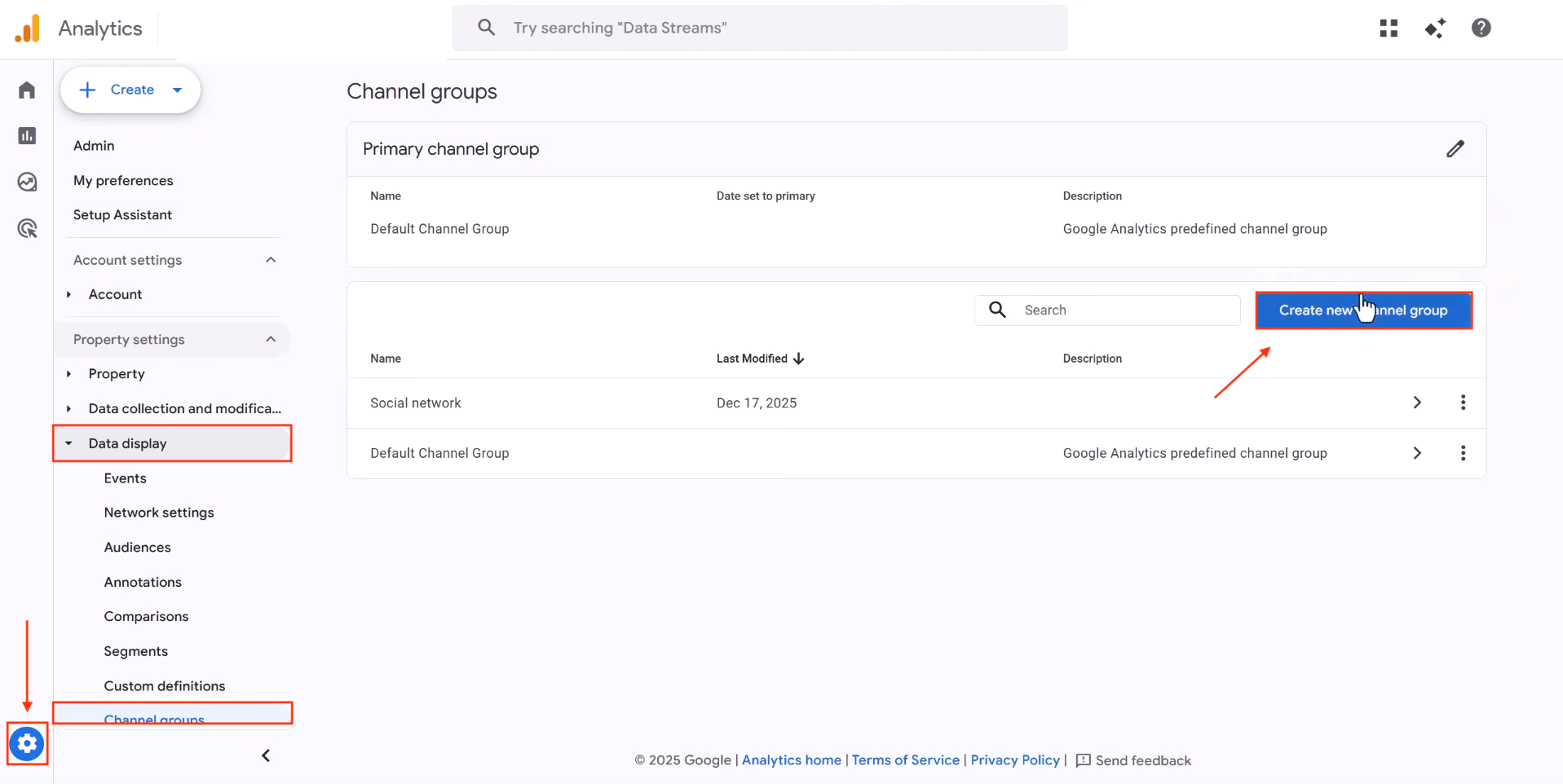
Create the Channel Group
Name the group something descriptive (e.g., “With AI Traffic”). This creates a copy of all default channels that you can customize.
Click “Add new channel” to define your AI traffic channel.
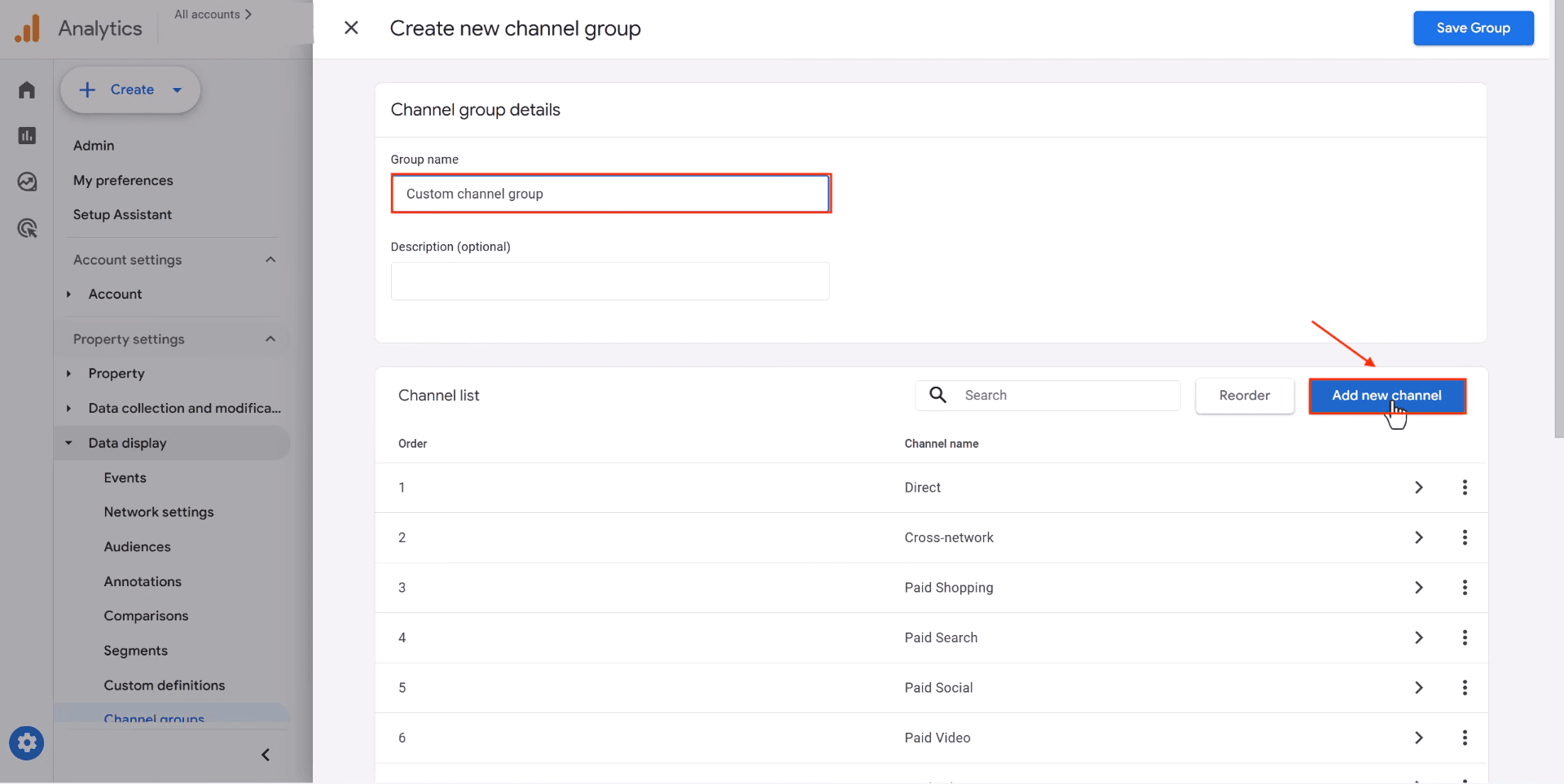
Configure the AI Channel
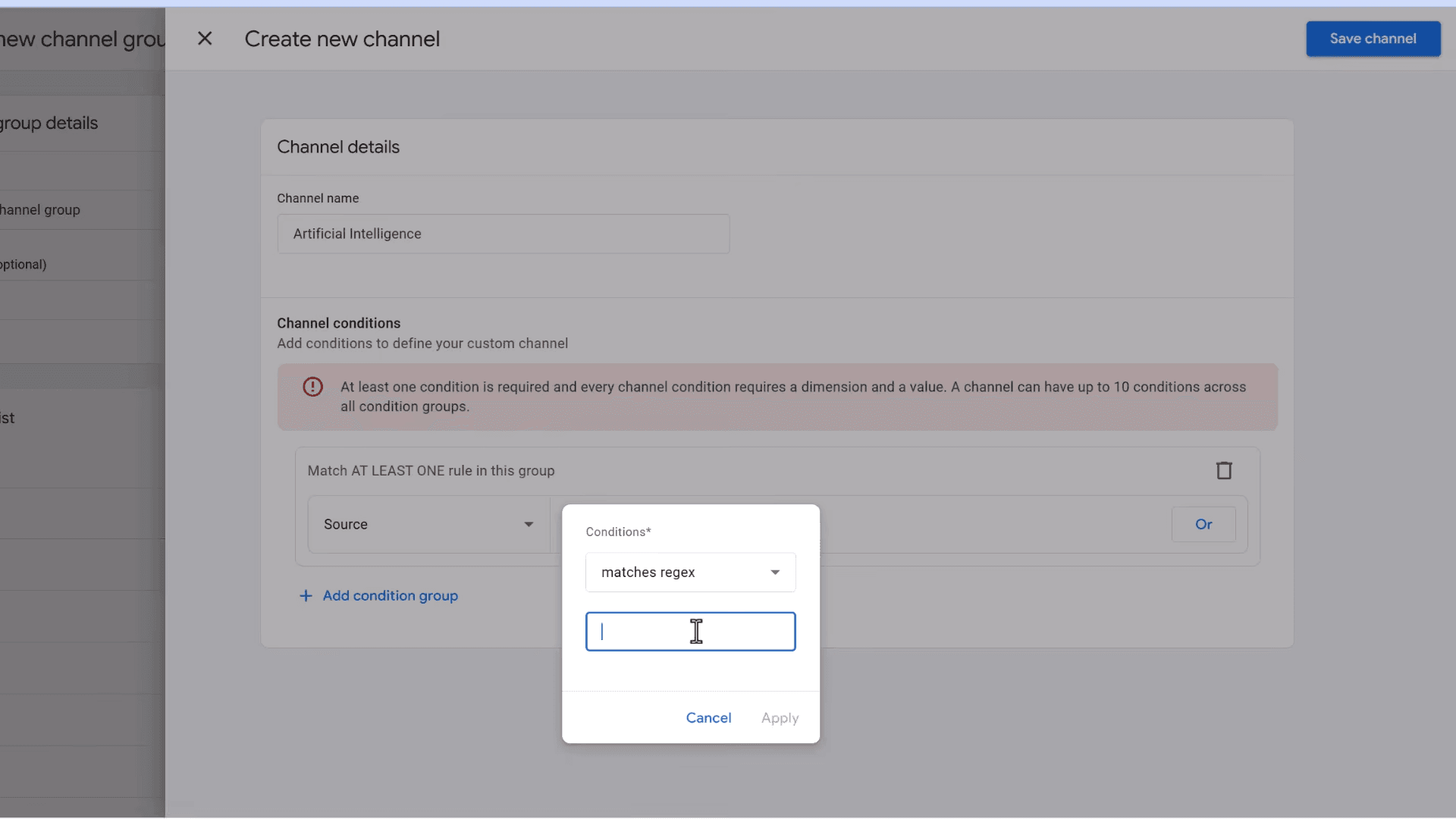
Set the channel name to Artificial Intelligence (or whatever label you prefer in reports).
Configure the condition:
- Dimension: Source
- Condition: matches regex
- Value: paste the regex below
chatgpt\.com|chat\.openai\.com|perplexity\.ai|claude\.ai|gemini\.google\.com|copilot\.microsoft\.com|deepseek\.com|you\.com|meta\.ai|poe\.comThis covers the major AI platforms that drive the vast majority of referral traffic.
Click Apply, then Save channel.
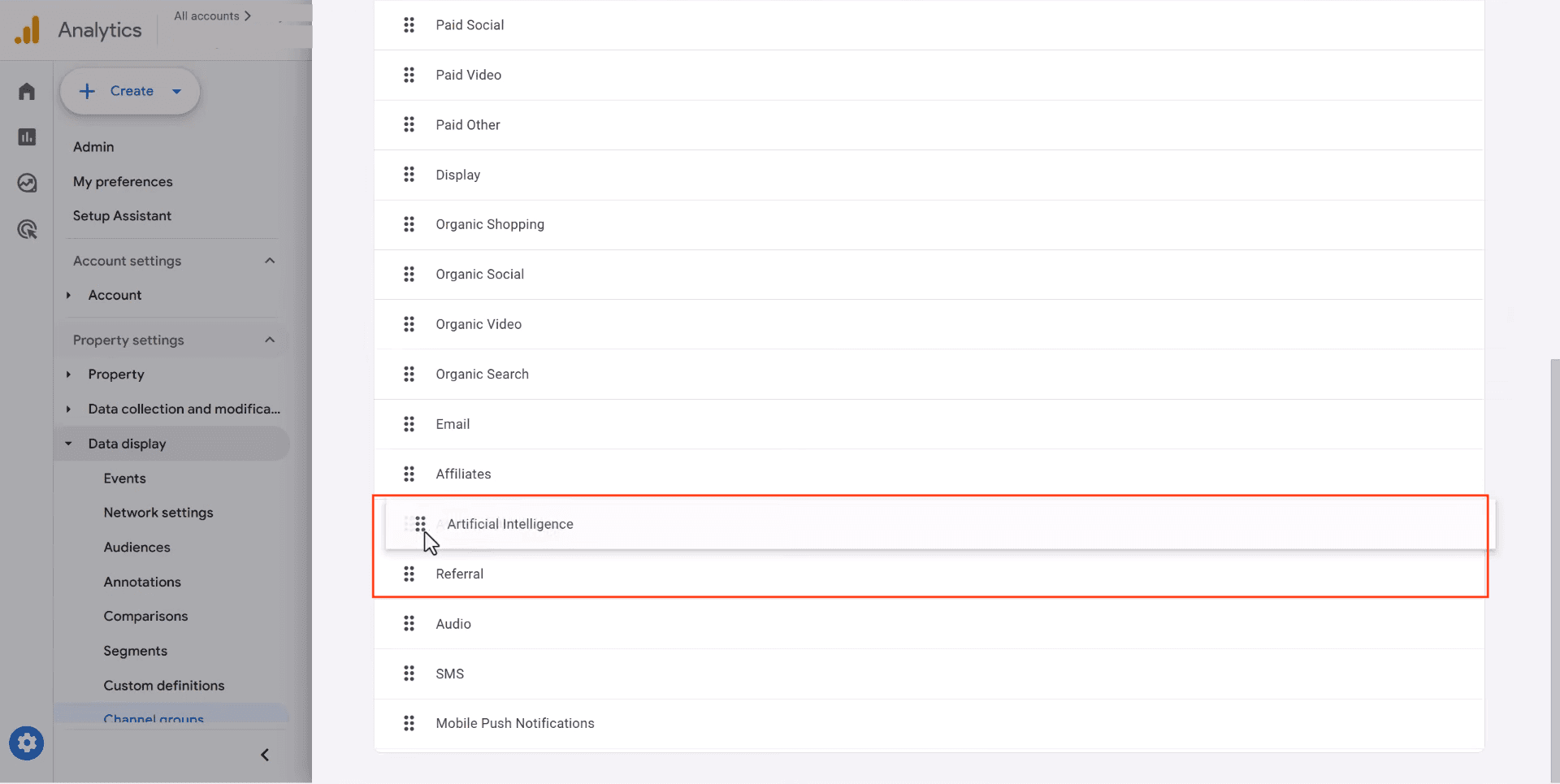
Reorder - Place AI Above Referral
This step is critical. GA4 assigns traffic to the first matching channel in the list. If “Referral” sits above your new AI channel, AI traffic will still get caught by Referral and never reach your custom channel.
Use the drag handles to move Artificial Intelligence directly above Referral, then save.
Switch to the Custom Channel Group
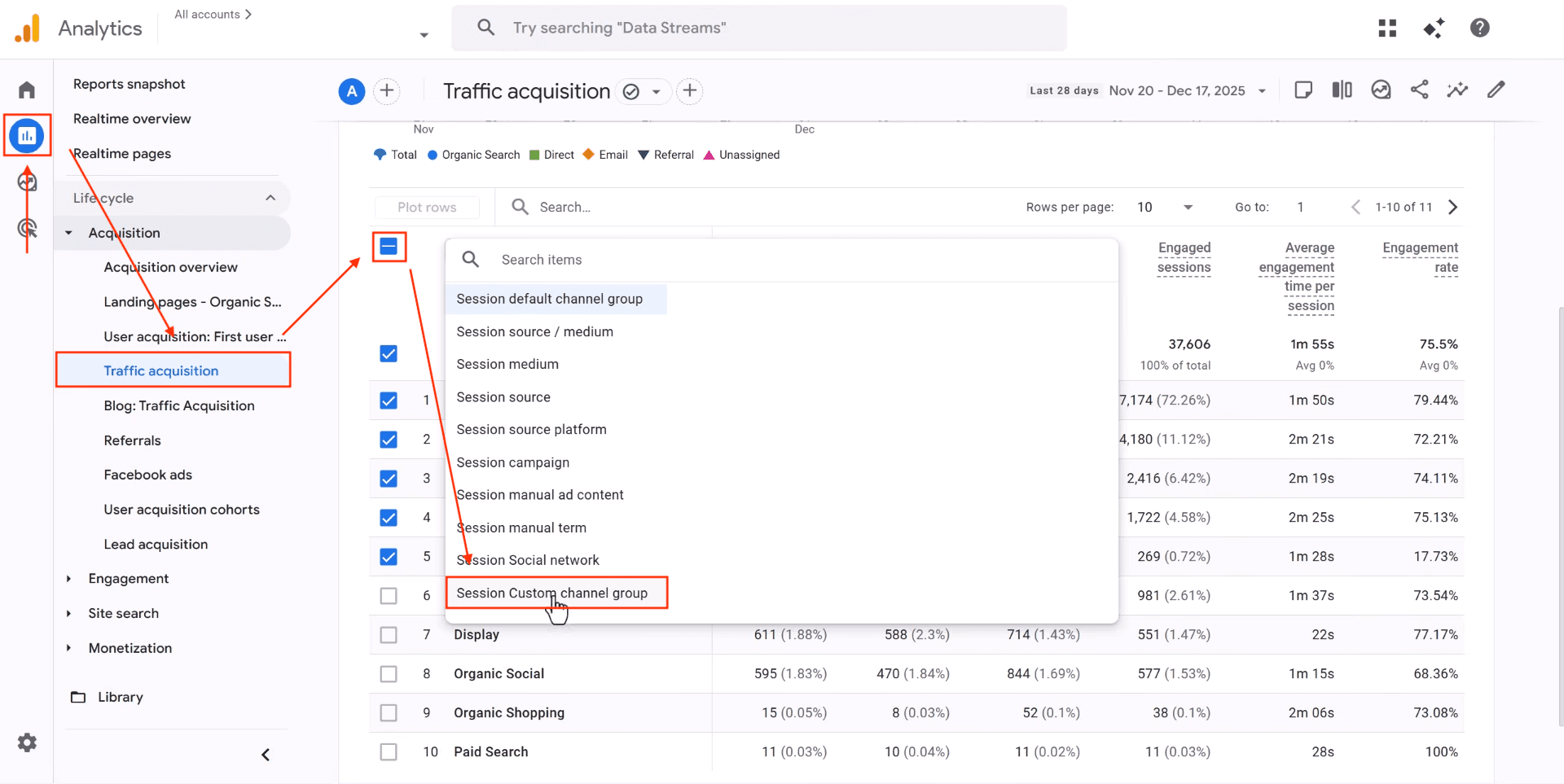
Navigate to Reports > Life cycle > Acquisition > Traffic acquisition.
Click the dimension dropdown (the blue pill at the top of the table) and select Session Custom channel group.
View Your AI Traffic
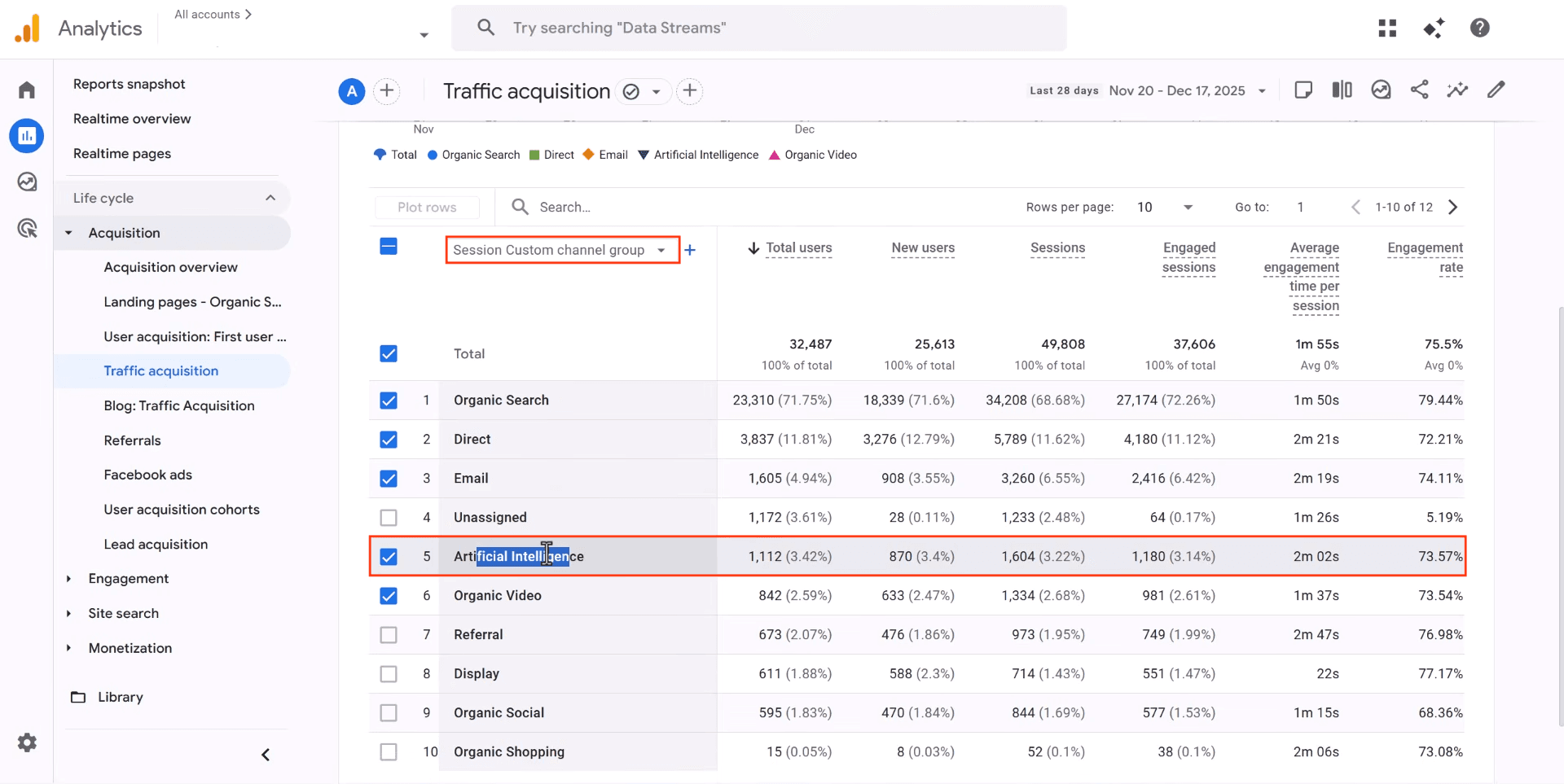
You should now see Artificial Intelligence as its own row in the acquisition table, with Sessions, Users, Engagement Rate, and all other standard metrics broken out.
Which Metrics to Track
| Metric | Use | Detail |
|---|---|---|
| Sessions | Primary metric | Total visits from AI platforms. Most stable number for weekly trends. |
| Engagement Rate | Quality check | Sessions with 10+ seconds, 2+ pages, or a conversion. Compare against Organic Search. |
| New Users | Quarterly review | Whether AI platforms drive net-new audience. |
GA4 undercounts AI traffic by an estimated 30-40%. Free-tier ChatGPT users and mobile AI apps often don’t send referrer headers, so those visits appear as “Direct”. Use Cloudflare tracking as a complementary signal.